
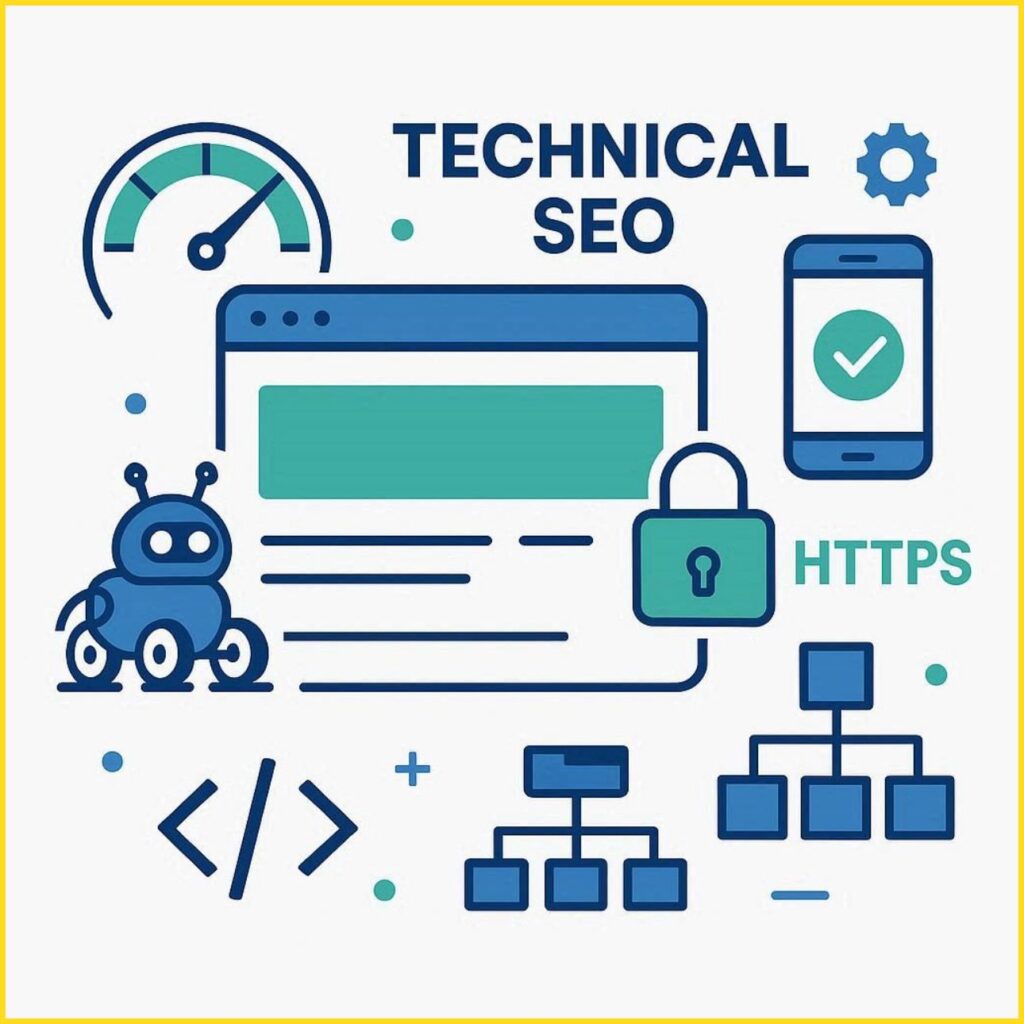
In the world of digital marketing, simply creating content is not enough to rank on search engines. Behind every high-ranking website lies a strong technical foundation. This is where Technical SEO comes into play.
If you’ve ever wondered why your website isn’t ranking despite having good content, the issue could be technical. In this beginner-friendly guide, we’ll break down everything you need to know about Technical SEO and how to implement it effectively.
What is Technical SEO?
Technical SEO refers to optimizing your website’s infrastructure so that search engines can easily crawl, index, and understand your content. Unlike on-page SEO (content and keywords) or off-page SEO (backlinks), technical SEO focuses on improving the backend elements of your website.
In simple terms, Technical SEO ensures:
- Your website is accessible to search engines
- Pages load quickly
- The site is mobile-friendly
- There are no crawling or indexing issues
Without proper technical SEO, even the best content may struggle to rank.
Why is Technical SEO Important?
Search engines like Google use bots (also known as crawlers) to scan your website. If these bots face issues while accessing your site, your rankings will suffer.
Here’s why Technical SEO matters:
- Improves Crawlability: Helps search engines discover your pages
- Enhances Indexing: Ensures your pages are stored correctly in search engine databases
- Boosts User Experience: Faster, mobile-friendly websites perform better
- Supports Ranking Factors: Technical health is a core ranking signal
A technically optimized website creates a solid base for all your SEO efforts.
Key Elements of Technical SEO
Let’s explore the most important components of Technical SEO that every beginner should understand.
1. Website Crawling
Crawling is the process where search engine bots scan your website to find pages.
To improve crawling:
- Use a clear site structure
- Avoid broken links
- Submit your sitemap
- Fix crawl errors in Google Search Console
2. Indexing
After crawling, search engines store your pages in their index.
To ensure proper indexing:
- Avoid “noindex” tags on important pages
- Fix duplicate content issues
- Use canonical tags correctly
If your pages are not indexed, they won’t appear in search results.
3. Website Speed Optimization
Page speed is a major ranking factor. Slow websites lead to higher bounce rates.
Ways to improve speed:
- Compress images
- Enable browser caching
- Use a Content Delivery Network (CDN)
- Minify CSS, JavaScript, and HTML
A fast website not only ranks better but also improves user satisfaction.
4. Mobile-Friendliness
With mobile-first indexing, Google primarily uses the mobile version of your website for ranking.
Ensure your site:
- Uses responsive design
- Has readable fonts
- Loads quickly on mobile devices
- Avoids intrusive pop-ups
5. Secure Website (HTTPS)
Security is a ranking factor. Websites with HTTPS are preferred over HTTP.
Benefits of HTTPS:
- Protects user data
- Builds trust
- Improves SEO rankings
You can install an SSL certificate to secure your site.
6. XML Sitemap
An XML sitemap helps search engines understand your website structure and find important pages.
Best practices:
- Include only important pages
- Keep it updated
- Submit it to Google Search Console
7. Robots.txt File
This file tells search engines which pages to crawl and which to avoid.
Example uses:
- Block admin pages
- Prevent duplicate content indexing
- Control crawl budget
Be careful—incorrect settings can block your entire site.
8. Structured Data (Schema Markup)
Structured data helps search engines understand your content better and display rich results.
Examples include:
- Star ratings
- FAQs
- Product details
- Reviews
Adding schema markup can improve click-through rates significantly.
9. URL Structure
Clean and simple URLs improve both user experience and SEO.
Good URL example:
- yourwebsite.com/technical-seo-guide
Avoid:
- Long, confusing URLs with random numbers or symbols
10. Fixing Broken Links & Errors
Broken links negatively impact user experience and SEO.
Common errors:
- 404 (Page Not Found)
- 500 (Server Error)
Regularly audit your site to fix these issues.
Technical SEO Checklist for Beginners
Here’s a quick checklist you can follow:
- Ensure website is mobile-friendly
- Improve page loading speed
- Install SSL certificate (HTTPS)
- Create and submit XML sitemap
- Optimize robots.txt file
- Fix crawl errors in Search Console
- Use structured data markup
- Remove duplicate content
- Fix broken links
- Maintain clean URL structure
Common Technical SEO Mistakes to Avoid
Beginners often make these mistakes:
- Blocking important pages in robots.txt
- Forgetting to update sitemap
- Ignoring mobile optimization
- Using heavy images that slow down the site
- Not fixing crawl errors
Avoiding these errors can significantly improve your SEO performance.
Best Tools for Technical SEO
To manage and monitor your technical SEO, you can use these tools:
- Google Search Console – Track indexing and errors
- Google PageSpeed Insights – Analyze page speed
- Screaming Frog – Website crawling and audits
- Ahrefs / SEMrush – Technical SEO analysis
- GTmetrix – Performance optimization
These tools help identify issues and provide actionable insights.
How Technical SEO Works with Other SEO Types
Technical SEO is just one part of the bigger SEO strategy.
- On-Page SEO: Focuses on content, keywords, and optimization
- Off-Page SEO: Focuses on backlinks and authority
- Technical SEO: Focuses on website structure and performance
All three must work together for better rankings.
Core Web Vitals (Google Ranking Signals)
Core Web Vitals are a set of performance metrics introduced by Google to measure user experience on your website. These are crucial for Technical SEO and directly impact rankings.
The three main metrics include:
- Largest Contentful Paint (LCP): Measures loading performance (should be under 2.5 seconds)
- First Input Delay (FID): Measures interactivity (should be under 100 milliseconds)
- Cumulative Layout Shift (CLS): Measures visual stability (should be less than 0.1)
To improve Core Web Vitals:
- Optimize images and videos
- Reduce unused JavaScript
- Use fast hosting
- Implement lazy loading
Improving these metrics enhances both SEO and user experience.
Canonical Tags (Avoid Duplicate Content Issues)
Duplicate content can confuse search engines and harm your rankings. Canonical tags help solve this problem by telling search engines which version of a page is the “main” one.
For example, if similar content exists on multiple URLs, a canonical tag ensures that only one URL is indexed.
Benefits of canonical tags:
- Prevent duplicate content penalties
- Consolidate ranking signals
- Improve crawl efficiency
Always use canonical tags correctly, especially for e-commerce or blog categories.
Pagination & URL Parameters
If your website has multiple pages (like blog archives or product listings), pagination becomes important.
Improper pagination can lead to:
- Duplicate content
- Crawl budget wastage
- Indexing issues
Best practices:
- Use clear pagination structure (e.g., page=2)
- Avoid infinite scroll without proper SEO setup
- Use internal linking between pages
This helps search engines understand your site structure better.
Hreflang Tags (For Multilingual Websites)
If your website targets users in different languages or regions, hreflang tags are essential.
They tell search engines:
- Which language your content is in
- Which version to show to users in specific locations
Example:
- English version for global users
- Tamil version for local audience
Benefits:
- Improves international SEO
- Avoids duplicate content across languages
- Enhances user experience
This is especially useful if you’re planning a multilingual WordPress site.
Log File Analysis (Advanced Technical SEO)
Log file analysis helps you understand how search engine bots interact with your website.
By analyzing server logs, you can:
- Identify crawl frequency
- Detect wasted crawl budget
- Find pages not being crawled
Although advanced, this technique is powerful for large websites.
Crawl Budget Optimization
Crawl budget refers to the number of pages a search engine bot crawls on your website within a given time.
If your site has many pages, optimizing crawl budget is important.
Tips to improve it:
- Remove low-quality or duplicate pages
- Fix broken links
- Use internal linking wisely
- Block unnecessary pages via robots.txt
Efficient crawl budget ensures important pages are indexed faster.
JavaScript SEO
Modern websites often rely heavily on JavaScript, but search engines may struggle to render JS content properly.
To optimize JavaScript SEO:
- Use server-side rendering (SSR) if possible
- Avoid hiding important content in JS
- Test rendering using Google Search Console
Ensuring your content is visible without heavy JS improves indexing.
Redirects (301 vs 302)
Redirects are used when a page URL changes.
Types of redirects:
- 301 Redirect (Permanent): Passes SEO value to the new page
- 302 Redirect (Temporary): Does not pass full SEO value
Best practices:
- Use 301 redirects for permanent changes
- Avoid redirect chains
- Fix broken redirect loops
Proper redirects maintain your rankings and user experience.
Orphan Pages (Hidden SEO Issue)
Orphan pages are pages that are not linked internally from any other page on your website.
Problems with orphan pages:
- Hard for search engines to find
- Poor ranking performance
- Wasted content effort
Fix this by:
- Adding internal links
- Including pages in sitemap
- Auditing your site regularly
Internal Linking Strategy (Boost Crawlability & Rankings)
Internal linking is one of the most underrated Technical SEO techniques. It helps search engines understand the structure of your website and distributes link equity across pages.
Benefits of strong internal linking:
- Improves crawlability
- Helps important pages rank higher
- Reduces orphan pages
- Increases user engagement
Best practices:
- Link to relevant pages using keyword-rich anchor text
- Prioritize linking to high-value pages
- Keep a logical hierarchy (homepage → category → post)
A well-planned internal linking strategy strengthens your entire SEO foundation.
Thin Content & Index Bloat (Hidden Ranking Killer)
Index bloat happens when too many low-value pages get indexed, reducing your website’s overall quality in the eyes of search engines.
Examples of thin content:
- Empty category pages
- Duplicate tag pages
- Low-word-count articles
- Auto-generated pages
How to fix it:
- Use “noindex” for low-value pages
- Merge similar content
- Improve content depth and quality
Keeping your index clean helps search engines focus on your best content.
Image SEO Optimization (Technical + On-Page Combo)
Images play a crucial role in both user experience and Technical SEO.
Optimization tips:
- Use descriptive file names (e.g., technical-seo-guide.jpg)
- Add alt text with relevant keywords
- Compress images to reduce file size
- Use modern formats like WebP
Proper image optimization improves page speed and accessibility.
Breadcrumb Navigation (Improve Site Structure)
Breadcrumbs help users and search engines understand your site hierarchy.
Example:
Home > Blog > SEO > Technical SEO
Benefits:
- Enhances user navigation
- Improves internal linking
- Helps search engines understand structure
Adding breadcrumb schema can also improve your search appearance.
AMP (Accelerated Mobile Pages) – Is It Still Relevant?
AMP was once popular for improving mobile speed, but its importance has decreased over time.
Current perspective:
- Not mandatory for ranking
- Useful for news and publishing websites
- Core Web Vitals matter more today
Instead of AMP, focus on overall performance optimization.
CDN (Content Delivery Network)
A CDN stores your website content on multiple servers across the world, delivering it from the nearest location to the user.
Benefits:
- Faster loading speed
- Reduced server load
- Better global performance
Popular CDN providers include Cloudflare and AWS CloudFront.
HTTP Status Codes (Technical Health Signals)
Understanding HTTP status codes is important for diagnosing Technical SEO issues.
Common codes:
- 200: Page is working fine
- 301: Permanent redirect
- 404: Page not found
- 500: Server error
Regularly monitoring these ensures your site remains healthy and accessible.
SEO-Friendly Site Architecture
A clean and organized website structure helps both users and search engines.
Ideal structure:
- Homepage
→ Category
→ Subcategory
→ Individual Page
Best practices:
- Keep important pages within 3 clicks from homepage
- Use logical URL structure
- Avoid deep nesting
Good architecture improves crawl efficiency and rankings.
Technical SEO for WordPress Websites
If you’re using WordPress, Technical SEO becomes easier with the right setup.
Recommended actions:
- Use SEO plugins like Rank Math or Yoast
- Generate XML sitemap automatically
- Optimize permalinks (post-name structure)
- Use lightweight themes (like Astra)
- Install caching plugins for speed
WordPress provides powerful tools, but proper configuration is key.
Technical SEO for WordPress Websites
If you’re using WordPress, Technical SEO becomes easier with the right setup.
Recommended actions:
- Use SEO plugins like Rank Math or Yoast
- Generate XML sitemap automatically
- Optimize permalinks (post-name structure)
- Use lightweight themes (like Astra)
- Install caching plugins for speed
WordPress provides powerful tools, but proper configuration is key.
Technical SEO vs On-Page SEO vs Off-Page SEO
To fully understand SEO, it’s important to know how Technical SEO fits into the bigger picture.
Technical SEO
Focuses on website infrastructure:
- Site speed
- Mobile-friendliness
- Crawlability
- Indexing
On-Page SEO
Focuses on content optimization:
- Keywords
- Meta tags
- Headings
- Content quality
Off-Page SEO
Focuses on authority building:
- Backlinks
- Brand mentions
- Social signals
Why All Three Matter
You cannot rely on just one type of SEO. A technically strong website with poor content won’t rank, and great content on a poorly optimized site also struggles.
Best approach:
- Build a strong technical foundation
- Create high-quality content
- Earn authoritative backlinks
This combined strategy ensures long-term SEO success.
Final Tip: Regular Technical SEO Audits
Technical SEO is not a one-time task. Regular audits are necessary to maintain performance.
You should:
- Perform monthly site audits
- Monitor Google Search Console
- Track Core Web Vitals
- Fix new errors immediately
Consistent optimization ensures long-term SEO success.
Final Thoughts
Technical SEO may seem complex at first, but it is essential for long-term success. Think of it as the foundation of your website—without it, everything else can collapse.
Start with the basics:
- Improve speed
- Ensure mobile-friendliness
- Fix errors
- Optimize crawlability
Once your technical SEO is strong, your content and backlinks will perform much better.
About WorkSEO
At WorkSEO, we specialize in delivering result-driven SEO strategies, including technical SEO optimization, to help businesses improve their online visibility and rankings.
Whether you’re a beginner or an established business, our expert team ensures your website is technically sound and ready to rank.
FAQ: Technical SEO (Frequently Asked Questions)
1. What is Technical SEO in simple terms?
Technical SEO is the process of optimizing your website’s backend structure so search engines can easily crawl, index, and rank your pages.
2. Why is Technical SEO important for ranking?
Without proper technical SEO, search engines may not access or understand your content, which can prevent your website from ranking—even if your content is high quality.
3. What are the main elements of Technical SEO?
Key elements include website speed, mobile-friendliness, crawlability, indexing, XML sitemap, robots.txt, structured data, and secure HTTPS connection.
4. How is Technical SEO different from On-Page SEO?
Technical SEO focuses on backend performance and structure, while On-Page SEO focuses on content, keywords, and page optimization.
5. What tools are best for Technical SEO?
Popular tools include Google Search Console, Google PageSpeed Insights, Screaming Frog, Ahrefs, SEMrush, and GTmetrix.
6. How often should I do a Technical SEO audit?
It is recommended to perform a technical SEO audit at least once a month to identify and fix issues early.
7. What is crawlability in SEO?
Crawlability refers to how easily search engine bots can access and navigate your website pages.
8. What is indexing in SEO?
Indexing is the process of storing your website pages in a search engine’s database so they can appear in search results.
9. Does page speed affect SEO?
Yes, page speed is a confirmed ranking factor. Faster websites provide better user experience and rank higher in search results.
10. What is an XML sitemap?
An XML sitemap is a file that lists all important pages on your website, helping search engines discover and crawl them efficiently.